
We will review how your delivery operation works and tell you what to automate first
How couriers receive tasks today, who maintains the statuses, what confirms a handover and which programs your orders already sit in.
While there are two couriers, delivery runs on phone calls and chat: addresses go into a messenger, the visiting order is agreed verbally, and the question of where an order is gets answered by whoever reached the courier first. As the number of deliveries grows this stops working — tasks get lost, statuses lag behind reality, and there is nothing to settle the we delivered it — no you did not argument with. Courier software removes that way of working: the task arrives in the performer's app, the status is set by whoever is carrying the order at the moment of the action, and the fact of handover is recorded together with the time and the author. Below is how it works — from assigning an order to closing the shift.
Courier software — the performer's working tool: it brings the courier the tasks for the shift, shows the addresses and the order contents, guides them from stop to stop and records what happened at each one. From the company's side this is delivery management: the dispatcher can see who is where and what has already been done without calling round the shift.
The difference is clear from a single example. Without software the courier gets addresses in chat, calls the customer to check which entrance to use, and in the evening dictates to the dispatcher what was delivered. The dispatcher transfers that into a spreadsheet — if they remember and if the courier has not lost track. By the end of the day nobody can state the exact time a particular order was handed over.
In the software all of the same things are records. A delivery has a card, the card has an address, contents, a time window and a current status, and every change has a time and an author. Answering where an order is and what has happened to it takes seconds and does not depend on whether the courier picked up the phone.
An example. In the morning the order was picked at the warehouse and assigned to a courier — the task appeared in their app together with the address and the delivery window. The courier collected the cargo, marked the pickup, drove the stops and changed the status at each one. At the third address the customer was not home — the courier entered a reason, and the delivery did not vanish but went into the dispatcher's investigation queue. In the evening the manager answered the customer from the record in the system rather than from the courier's memory.
Courier delivery automation begins where the answers to three questions no longer fit in the dispatcher's head: who this order is assigned to, what state it is in right now, and what proves it was handed over.
This is the path of a single delivery, not a list of the program's screens. Every transition is performed by a person and at the moment of the action: the dispatcher assigns, and the courier marks the pickup and the handover. That is why the system shows the state of the delivery rather than the intention of whoever planned it.
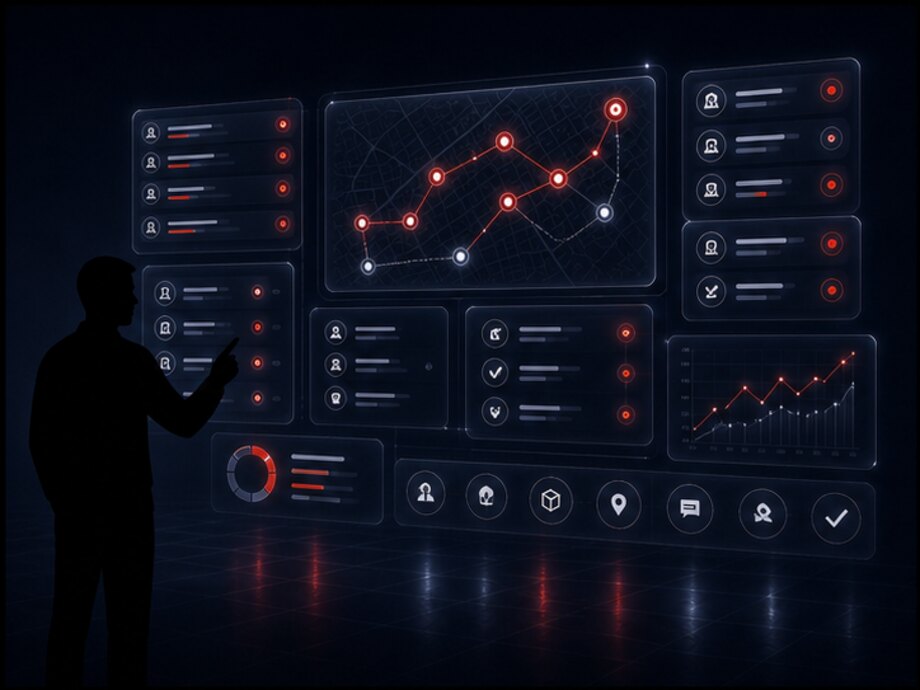
It does not carry the order and does not replace the courier. It removes the manual work around an action: it brings the task without a phone call, stores the address with its notes, does not let a delivery be closed without a result and records every change. The decision to reschedule a delivery or return an order stays with a person — but it is made from a record rather than from a verbal agreement.
In just the same way, the system does not see the courier by itself: it knows exactly what they have recorded in it through an action. That is why the quality of the data depends not on how many features there are but on whether marks are made at the moment the event happens.
Two things come first: a finite list of statuses and a mandatory result for every delivery. The reason is simple: while everyone understands in progress in their own way and a delivery closed without a reason counts as successful, there is nothing to build a report from — no matter how many screens the app has.
What follows is not a feature list but six problems that courier delivery gets automated for in the first place. Each one is stated the same way: what happens without software and what changes with it.
Without software, addresses arrive in a messenger, some by voice over the phone, some as a list in a spreadsheet. The courier assembles their day from three sources and misses something. In the software a task is a record with a number and a performer: it is either in progress or closed with a result.
While the dispatcher maintains statuses from what they are told over the phone, they lag reality by an hour and cost half a shift. The courier's mark at the moment of the action gives the actual times: when it was collected, when they arrived, when it was handed over.
The entrance, the floor, the intercom and the access from the yard are stored in the delivery card rather than in the memory of whoever went there last time. A new courier closes the address on the first attempt instead of after two calls to the customer and one to the dispatcher.
Who accepted the order, when and on what grounds is a record in the system rather than a recollection. The confirmation method is chosen per project, but the result is the same: the we delivered it — no you did not argument is settled by opening a card, not by an inquiry between the manager and the courier.
The dispatcher looks at one screen: who is on a route, how many stops are closed, where a delivery is running behind its window. Where is my order stops being a job for three people — the manager answers the customer themselves.
Every change is signed with an author and a time. This is not surveillance of the courier but the ability to investigate a specific case: at which step the delivery stalled and why. It also shows the workload — how many stops were closed during a shift and by whom.
The system is assembled from modules. Not every company needs all of them: a service with three couriers and predictable addresses does not need ten exception scenarios, while food delivery cannot manage without time windows and customer notifications. The composition is determined by the task, but the modules are designed to fit together in advance rather than being bolted on later.
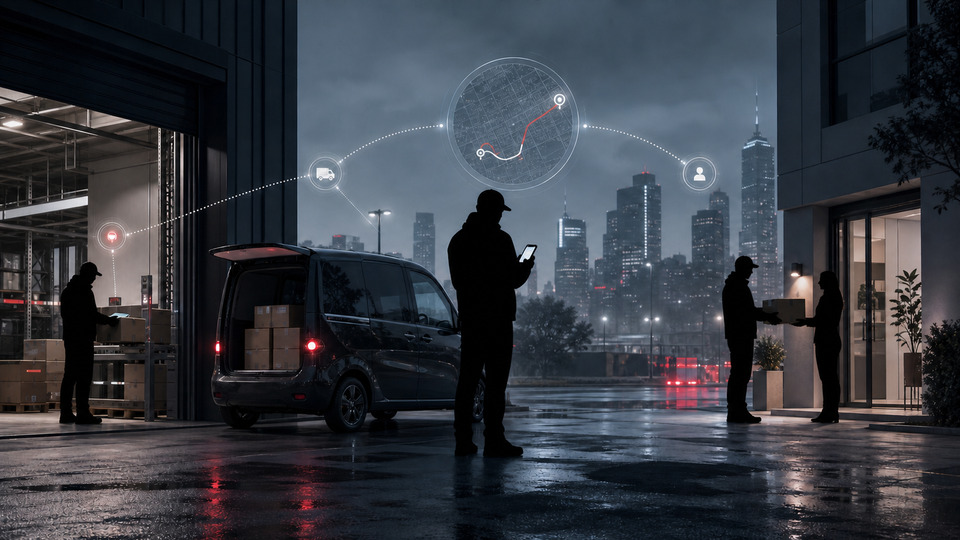
The courier's working day on one screen: what is assigned for the shift, in what order, what is already closed and what is left. This is the entry point to the software — the courier starts the day here and comes back to it after every stop.
Everything about one order: contents and number of items, the address with its notes, the time window, the recipient, payment and the current status. Exactly as much as is needed to carry out the task — without the company's reference data and reports.
The shift's addresses on a map and as a list, the visiting order, the move from the current stop to the next. A route is an accounting object just like a task: it has a date, a performer and a history of changes during the day.
A finite set of states and the rules for moving between them. The courier changes the status in one action rather than by picking from a long list: assigned, collected, in transit, on site, delivered.
Recording the result at the stop: the status change and the confirmation method chosen for the project. Without a result the task does not close — delivered, probably is not a state of a delivery.
Marking the collection of an order at the warehouse or at the point of departure. From that moment responsibility for the cargo lies with the courier, and the system shows that the order is no longer at the warehouse but in transit.
Messages to the courier and to the recipient: a new order assigned, a task changed, the window approaching, a delivery cancelled. The sending channels are chosen during rollout and connected through integrations.
What the courier completed in a day, a week, a month: closed deliveries, execution times, problem stops. Their output is assembled from the same records — no separate tracking is needed for that.
Reaching the dispatcher straight from the task card, without looking up a number on the phone. The dispatcher sees which delivery the question is about and answers on it instead of working out which address is meant.
Marks made outside coverage — in a basement, in a lift, in a low-rise district — are stored on the device and sent on when a connection appears. Resending does not create a second delivery.
The company's workplace: active couriers, assigned orders, statuses, completed and problem deliveries, staff workload. It opens in a browser, with nothing to install.
The system's external interface: create a delivery, assign a performer, get a status, pull the confirmation and the log. It is how the online store, the warehouse, logistics and accounting systems connect.
Once a delivery has been created, the order is assigned to a specific courier. Assignment is not a message in a chat but an operation: the delivery gets a performer, and the performer gets a task with a number, an issue time and a current state.
The task arrives in the courier's app immediately, with no call and no forwarding of the address. The courier opens the list and sees their whole shift: how many stops are assigned, what is already closed and which delivery is next.
Who assigns. Usually the dispatcher — by hand or under rules set by the company: by city zone, by order type, by the courier's free time. Automatic distribution can be implemented to fit a specific service's process; we do not claim it in advance as a ready feature — distribution rules differ everywhere, and they cannot be invented on the company's behalf.
What the courier can do with a task:
What a task must not contain is anything superfluous. A courier does not need the cost of the order, the customer's history or the company's reports: what stays on screen is what is needed to get it there and hand it over. Everything else is closed off by access rights rather than by small print.
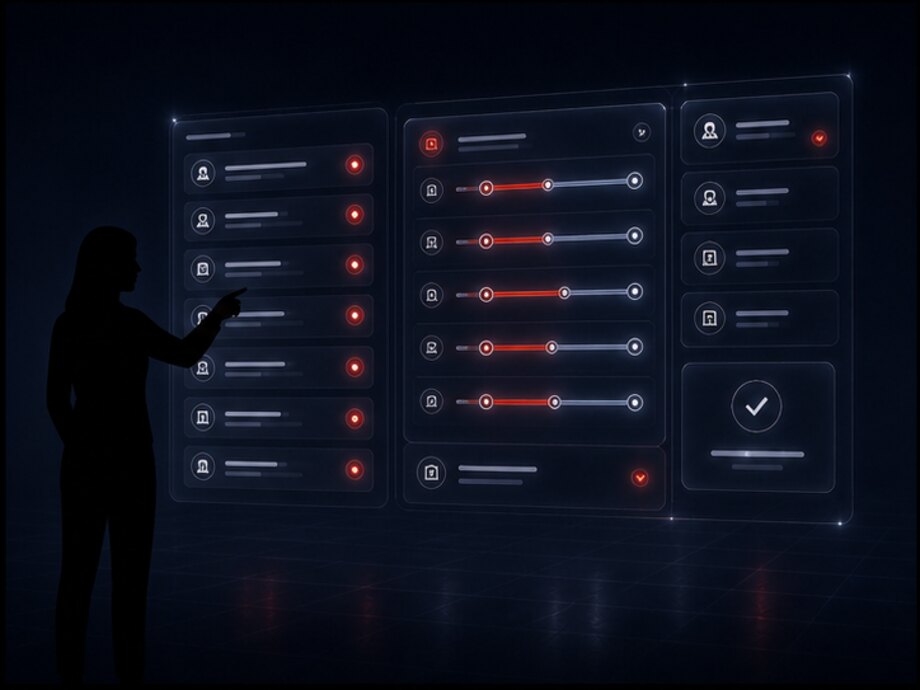
A courier falls ill, is delayed or does not turn up for a shift — an ordinary situation, not a failure. The dispatcher removes the task and assigns it to another performer; the delivery history keeps both assignments with their times, not just the last one.
This matters in practice: without a record of the reassignment, investigating why an order was late runs into the fact that the system shows the current courier, who received it an hour before the end of the window.
The recipient's phone number is shown when it is needed to carry out the task, and only to whoever is delivering it. Access to personal data is a separate right, not part of a general employee bundle: the list of all the company's customers is never opened to a courier.
Exactly how the contact is shown — in full, in part, or through a call with number masking — is decided during discovery: it depends on what data the company works with and what it is obliged to protect.
| № | Window | Address | Items | Payment | State |
|---|---|---|---|---|---|
| 1 | 10:00—12:00 | Akhunbaeva 97, entrance 2 | 1 | prepaid | delivered |
| 2 | 11:00—14:00 | Toktogula 125, office 4 | 3 | prepaid | delivered |
| 3 | 12:00—15:00 | Baitik Baatyra 53 | 1 | 2,400 som | on site |
| 4 | 14:00—17:00 | Chuy 219, access from the yard | 2 | prepaid | in transit |
| 5 | 16:00—19:00 | Ibraimova 42, floor 7 | 1 | 1,150 som | assigned |
The list is sorted by time window rather than by assignment time: what matters to the courier is the order of the day, not the order in which the dispatcher handed the orders out. The payment column sits next to the address for a reason — the amount to collect needs to be seen before the courier has climbed to the seventh floor.
A courier app — is not a shrunken copy of the dispatcher's panel but a separate interface built for the performer's working conditions: phone in one hand, box in the other, screen in the sun, connection on and off, and a low battery by evening.
It has one practical purpose: all the working information in one place. A courier should not have to keep three chats, a spreadsheet of addresses and a call history open — the task, the address, the order contents, the status and the way to reach the dispatcher are all in one interface.
The screen is built around the principle of the current stop and the next one. Everything not needed right now is moved deeper: lists from previous days, reference data, details that have no bearing on the handover. The fewer elements on screen, the fewer mistakes during a shift and the shorter the training for a new person.
Requirements that matter more than the feature set:
There is no point calculating how much time this consolidation saves — it depends on what the courier's work has been turned into today. A different effect is visible: a whole class of errors disappears, the ones where an order is delivered to an address from yesterday's message because the new one arrived in a different chat.
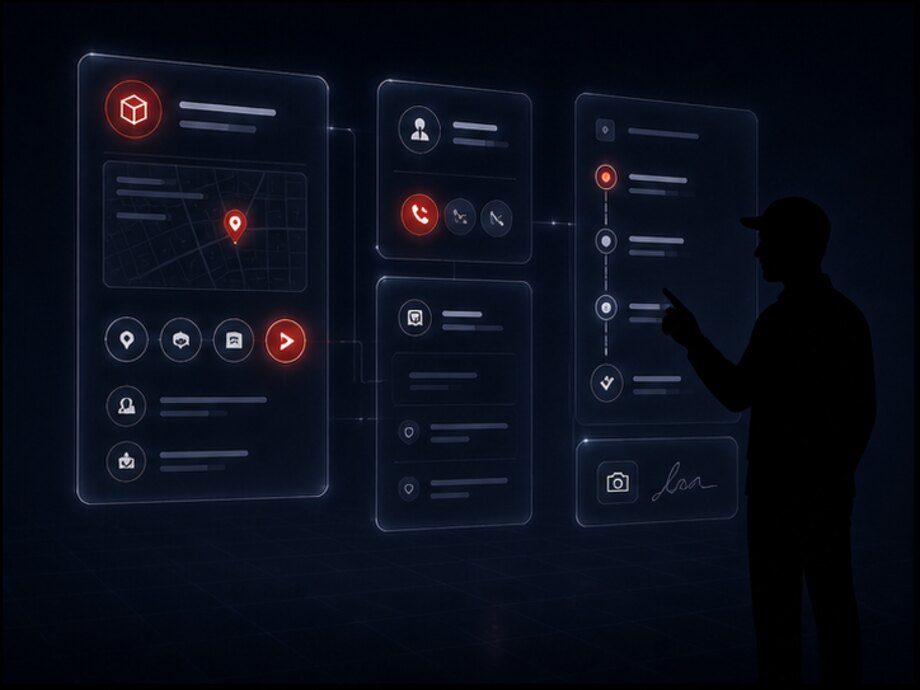
The form is chosen to fit the task: it can be a mobile app for Android and iOS or an adapted web page that opens in the phone's browser.
The second option is cheaper and faster to launch; the first is needed where working offline, notifications and camera access matter. What suits a particular company is determined during discovery rather than chosen in advance.
The connection drops predictably: in a basement, in a lift, in a low-rise district, in an underground car park. If a mark does not go through at such a moment, the courier either stands and waits or stops marking altogether — and statuses go back to living in phone calls.
That is why marks are stored on the device and sent on when the connection returns. Resending does not create a second delivery: every mark has a key and the system accepts it once. This is the same rule the exchange with external systems runs on.
The project-dependent label appears wherever the capability depends on connecting an external service or on a specific service's working conditions. Everything else is the working minimum: without it the performer's interface does not replace chat but is added to it as a tenth source of tasks.
A delivery stop — one address with one delivery. A courier's shift is made up of stops, and the app shows them in two ways at once: as a list in visiting order and as markers on a map. The list answers what to do next, the map answers how far away it is.
The sequence is set in advance and visible to the courier: which stop is current, which are closed, which are ahead. Once a stop is closed the next becomes current — the courier does not have to find it in the list or decide again each time where to go.
The order can be changed during the day. The dispatcher rearranges stops, adds an urgent delivery or removes a cancelled one — the changes reach the courier, and the route history keeps what changed and when. The system must never quietly swap the plan for another one: a courier who learns of a change after the fact has to replan the day.
Automatic building of the optimal visiting order — a capability that can be implemented or connected through an integration with a mapping service. We do not claim it as a ready feature: the quality of such optimization depends on traffic data and on a specific service's constraints — recipients' time windows, zones, the capacity of a bag or a vehicle.
In practice a manual order is enough for many services: the dispatcher knows the city better than the algorithm, and the recipients' time windows set a rigid frame for the day anyway.
Half of a courier's lost time goes not on the road but on finding the entrance. That is why a stop has notes: entrance, floor, intercom code, access from the yard, barrier — call security, second block, grey door.
The notes are added to by the courier after a delivery and stay in the address card. The next person going there will not have to work out the same things again — that is the only way to accumulate knowledge about the city in the system rather than in the heads of the shift.
Statuses are changed not in a batch at the end of the day but for each stop at the moment of the action. Arrived at the address — on site; handed it over — delivered; did not find the recipient — a reason and a reschedule. The actual delivery time and the duration of the stop come from these marks; otherwise both are reconstructed from memory, which is to say not reconstructed at all.
| Implementation | Address | Window | What is being carried | Note on the stop | State |
|---|---|---|---|---|---|
| 1 | Baitik Baatyra 53 | 12:00—15:00 | 1 item | Barrier, call security | closed |
| 2 | Chuy 219 | 14:00—17:00 | 2 items | Access from the yard, grey door | current |
| 3 | Ibraimova 42 | 16:00—19:00 | 1 item | Floor 7, lift to the 6th | ahead |
| 4 | Moskovskaya 180 | 17:00—20:00 | 3 items | Office, pass at reception | ahead |
| 5 | Akhunbaeva 97 | by 20:00 | 1 item | Return: the recipient refused | added |
The fifth stop was added to the route during the day — it is a refusal return that has to be taken back. A return travels as a stop of its own with an address and a state rather than as a verbal you can drop it off tomorrow: otherwise the order falls out of the records at exactly the moment nobody is responsible for it any more.
A status is not a caption on a screen but a state that determines which actions are permitted. The set is finite and short: until it is named explicitly, every employee understands in progress in their own way, and with a dozen similar statuses the courier starts picking at random.
Five states are the working minimum, not the full list. Intermediate ones (handed to sorting, passed to another courier) are added to fit the company's process, but the set stays finite and explicit: every status has to answer the question of what the courier is allowed to do next.
| What happened | What the system does | State |
|---|---|---|
| The customer is unreachable: no answer at the door or on the phone | Records a failed attempt with a reason and the courier's comment, leaves the order with them and raises the question of a repeat delivery | investigation |
| The delivery was rescheduled at the recipient's request | Records the new date or window together with who agreed the change and when; the stop leaves today's route | normal |
| The recipient refused the order | Closes the delivery with a refusal reason and creates a return stop — to take the order back to the warehouse or to the point of departure | investigation |
| The recipient accepted the order in part | Splits the delivery: the accepted items are closed, the refused ones go into a return as a separate record rather than being written off with the rest | investigation |
| A problem with the address: no such building, entrance not found | Opens an event with the courier's comment and passes the stop to the dispatcher for clarification, without closing the delivery as completed | investigation |
| The order was cancelled while the courier was already on the way | Removes the stop from the route and moves the delivery into a return: the order does not dissolve, someone is still responsible for it | normal |
| The courier did not turn up for their shift | Frees their tasks for reassignment and shows the dispatcher every affected delivery in one list | warning |
The general principle: an unsuccessful outcome does not disappear and does not turn into a successful one. The delivery stays open and goes into the investigation queue — that is cheaper than a report with no problems in it because there was nowhere to record them.
Which exceptions a company needs is decided during discovery. Food delivery needs short windows and fast rescheduling; electronics delivery needs partial refusals and returns; document delivery needs verification of the recipient's identity. The set is configurable, but the rule is the same: every delivery ends with a reason, and the reason goes into the report.
A delivery has two points where responsibility changes hands, and both are recorded. The first is the courier's collection of the cargo: the order leaves the warehouse, and from that moment the performer is responsible for it. The second is the handover to the recipient: the delivery is closed and the company's obligation is fulfilled.
Without a record of those two moments, any loss turns into questioning the shift: the warehouse believes it handed the order over, the courier says it was not them who carried it, and the manager tells the customer that it is being looked into. The mark takes seconds; the investigation without it costs a day's work and the customer's trust.
What the system records at handover:
The confirmation method is chosen per project. The options listed below are not a list of ready features and not a promise that all of them are already implemented. What suits a particular service depends on what is being delivered, to whom, and what requirements the company itself sets.

This rule matters more than the confirmation method itself. Until a result is recorded, the delivery stays open and is visible to the dispatcher. Otherwise by the end of the month every delivery will be completed while disputed cases still have to be resolved from phone calls.
Where an order is paid for on the spot, the delivery confirmation and the payment confirmation are two different records. The amount to collect arrives together with the task, and the fact that the money was taken is marked separately: otherwise by the end of the shift there is no way to work out how much cash the courier is carrying.
Accepting payment by card or transfer is possible through an integration with a payment service or the performer's terminal — the scope depends on the provider and is clarified during discovery.
An order that could not be handed over stays with the courier until the moment they hand it in: back to the warehouse, to the point of departure or to another performer. The hand-in is processed the same way as the collection — by a second party. Until then undelivered orders are visible on a separate list rather than dissolving into the shift's overall statistics.
None of the options is mandatory and none is claimed as already built: the set is determined during discovery — from what is being delivered, which disputes arise most often and what requirements the company itself sets. The stricter the confirmation, the longer the courier stands at the stop, so it makes sense to tighten it where disputed cases actually occur.
The warehouse and delivery are not two departments with a shared chat but two stages of one process. An order that is picked but not handed over and an order that is handed over but not marked are different states, and confusing them is expensive: the first is searched for at the warehouse, the second at the courier's.
The seam is simple: the warehouse worker marks the handover, the courier marks the collection. Until both marks are made, the order is held in an intermediate state visible to both sides. This way a missing item always has a stage where it was lost, and the investigation does not turn into questioning the shift.
Full warehouse accounting — goods receipt, bin-location storage, stock, picking and stocktaking — is the subject of a separate page, For the warehouse. Only the seam is described here: what the warehouse passes to the courier and what it gets back.
If the warehouse runs in another program — the usual situation: warehouse accounting is already kept in an existing system and nobody intends to replace it. The seam is then built as an exchange: the courier software receives order readiness and the composition of the items and returns statuses, confirmations and returns.
The scope of the exchange is determined by what the external system is able to expose and is clarified during discovery. Declaring a ready integration in advance would mean making a promise on someone else's product's behalf.
The same principle applies in the other direction, on returns. Without a hand-in mark an undelivered order lives in the courier's boot until the next shift and disappears from the records at exactly the moment nobody is responsible for it any more.
The reverse flow matters just as much: undelivered orders, refusals and partial returns come back with the reason they returned. The warehouse accepts them through an operation — just as it would accept a delivery — and the order becomes its responsibility again.
The third transition is the only one where the order changes hands, which is why it is processed by two parties: the warehouse handed over, the courier accepted. If the step is skipped, then when an item goes missing the stage cannot be named, and responsibility is allocated by whoever speaks loudest at the review.
Courier app
Route and stops
Delivery confirmation
Operations dashboard
Operations dashboard — the other half of the system: what the company sees while the couriers work in the app. Its job is not to show all the data but to gather onto one screen what needs a decision now and to move the rest deeper.
There is one main idea here: the company understands what is happening with a delivery without constantly calling every courier. The dispatcher looks at a screen instead of ringing five people in turn to find out who has closed which address.
What the panel shows:
Access permissions separate the panel by role: a courier sees only their own tasks for the day, a dispatcher sees their shift or zone, a manager sees every direction and the reports. Access to recipients' contact details and cancelling a delivery are separate rights, not part of a general employee bundle.

A screen from the system; the figures are illustrative. The order of the tiles is not accidental: the volume of the shift comes first, then what needs a decision. Unassigned orders come last, because that is the one tile the dispatcher closes themselves and closes completely.
A message reaches the dispatcher attached to a delivery: it is clear which address the question is about and what state it is in. That removes half the conversation — the half spent establishing which order is meant.
It works the same way in reverse: the dispatcher's message reaches the courier in the task card rather than as a separate call they will hear on the stairs between the sixth and seventh floors.
The separation is set by role, not by individual rights for each person. Otherwise within six months a new employee's access is configured the same as Ivanov's, and nobody can say any more what exactly they have access to.
A logistics system manages the delivery process as a whole: requests, cargo, vehicles, planning the day and distributing the work. Courier software is the performer's working tool inside that process. These are not two competing products but different levels of one task: one answers how to organize a delivery, the other how to carry it out and record it.

The warehouse is responsible for the order being picked and handed over. Logistics is responsible for who it is assigned to and for which day. The courier is responsible for it arriving and being handed over. The customer closes the chain by receiving it. A break between any two links looks the same: the order exists in one system and is absent from another, and whoever picked up the phone first ends up responsible for it.
A ready delivery with the address, the time window, the order contents and the recipient, plus the assignment — which courier it has been given to and for which day. Planning the day and distributing the work stay on the logistics system's side.
It brings the task to the performer, guides them through the stops, and records statuses and confirmation of handover. This is the only source of actual delivery data: everything else is plan, not fact.
Actual statuses with times, the result of every stop, the reasons for failed deliveries, returns and the courier's comments. Logistics builds the period report from this, and the manager answers the customer without calling the performer.
The courier software can work as a separate application connected through the API to the existing system: it receives tasks and returns statuses and confirmations. That option is needed where there are no plans to change the logistics layer.
A detailed look at the logistics side — transport requests, the cargo register, route planning and fleet work — is on the logistics software pagepage. What matters here is something else: the courier's marks are the only source of actual statuses, which is why their workplace is designed first rather than last.
A notification is needed where a phone call would otherwise be required. There are only a few of them and each is specific: every one reports an event after which somebody has to do something. Everything else stays in the task list and does not distract the courier on the stairs.
The courier has received a task: address, window and contents. They see it straight away rather than at the end of the current delivery — and can fit the stop into the visiting order before driving to the other side of the city.
The dispatcher rearranged the stops, added an urgent delivery or removed a cancelled one. Without a notification the courier finds out when they arrive at the old address — and loses an hour going back.
A reminder for a stop whose window is about to run out. It arrives in advance rather than at the moment it is missed: the point is not to record the delay but to prevent it.
The cancellation reaches the courier before they have climbed to the seventh floor. If the order is already in their hands, the notification comes with what to do next: return it to the warehouse or pass it to another performer.
A task is sitting without a mark, a delivery has not been closed with a result, the dispatcher has asked a question about a stop. This is not control for its own sake: a delivery left open by evening turns into an investigation the next day.
There is something to tell the customer too: the order has been handed to a courier, the courier is on the way, the delivery has been rescheduled. This removes part of the incoming calls to the company — someone who knows the status does not ring to ask for it.
The sending channels — an in-app message, SMS, a messenger, email — are chosen during rollout and connected through integrations. We do not claim ready connections to specific services in advance: the set depends on what the company's customers use and what is available in their country.
The history is not an archive kept just in case but an investigation tool. Records are not edited: a correction is entered as a new event with a reason. That is why the question of why an order arrived at seven in the evening has an answer rather than several versions.
The performer, the assignment time and the author — together with every reassignment, if the task passed from one courier to another during the day.
The fact of handover from both sides: who gave it, who took it, when and how many items. The moment from which responsibility for the order lies with the performer.
Every transition with an exact time and author: departed, arrived at the stop, handed over. The actual duration of the delivery is assembled from these marks.
The delivery result and the confirmation method, and where it did not take place — the reason, the courier's comment and what was decided next.
| Time | Event | Who | What was recorded |
|---|---|---|---|
| 09:12 | Assigned | Dispatcher | Performer — courier Azamat, window 12:00—15:00 |
| 10:05 | Collected by the courier | Warehouse + courier | 1 item, packaging intact, handover confirmed by both parties |
| 12:41 | On site | Courier | Arrival at Baitik Baatyra 53 |
| 12:58 | Attempt failed | Courier | The recipient does not answer; comment: the barrier is closed, security will not let me through |
| 13:20 | Rescheduled | Dispatcher | Agreed with the recipient for 17:00—19:00 the same day |
| 17:34 | Delivered | Courier | Confirmation code accepted, payment of 2,400 som received in cash |
This record shows not only that the order was delivered but also why it arrived five hours after the window. Chains like this are exactly what is worth examining: they show which step of the process happens outside the system — in this case, the procedure for getting past security was never recorded against the address.
Reports are assembled from the same records the couriers make during the shift — no separate data entry for analytics is needed. There are only a few indicators, and each answers a question a decision gets made on: how many couriers are needed tomorrow, where the process breaks most often, whose load needs easing.
How many orders were assigned in a day, a week or a month — by company, by zone and by courier. The base figure everything else is calculated from.
How many were closed with a result and what share of those fell within the agreed window. The second matters more than the first: delivered late is not the same as delivered.
How many orders came back and for what reasons: the recipient refused, the company cancelled, undelivered. The reason is mandatory — without it the figure explains nothing.
How long a delivery takes from collecting the cargo to handing it over, and how long the stop itself takes. Those two numbers show where the time is going: on the road or on site.
How many stops fall to a person and how many they actually close. This is where the answer comes from to whether another courier is needed or whether it is a matter of how work is distributed.
The list of deliveries that required investigation, with reasons. By the end of the month what you see is not these things happen but a specific list of recurring failures.
Output by employee and by direction over a period. It is assembled from closed tasks, so no separate time tracking is needed for it.
Reports export to a file, can be built on a schedule or pulled by an external system through the API — for when the company's consolidated reporting is kept in another program.
The bars show the share of the first line rather than of the total number of orders: the meaningful comparison is against the normal outcome, not against an average. The line to examine in a table like this is the second one — seventy-four late deliveries in a week is not a tight schedule but specific addresses and specific hours the shift cannot cope with.
Delivery rarely stands alone: orders arrive from one program, clients are managed in a second, the warehouse in a third. Below are the directions the exchange is most often built along. The specific scope is determined by what the external system is able to expose and is clarified during discovery — we do not promise ready connectors in advance.
A placed order can be passed to delivery automatically, and the status can be returned to the customer in their account. How the storefront itself and order tracking are built is covered on the e-commerce page.
Order readiness and the composition of the items come from the warehouse, while the fact of handover to the courier and returns go back. The warehouse layer is covered in detail on the For the warehouse.
It can work together with a logistics system: the latter plans the day and distributes the orders while the courier software returns actual statuses. In detail — on the logistics system.
An integration with the client directory and the deal history is possible: a delivery is created from the client card and its result is returned to the manager. The exchange runs on the client identifier so that duplicate contacts are not created.
It can work together with the company's accounting layer: orders, delivery notes, settlements, payment on receipt. The direction of exchange is determined by which set of records is recognized as the primary one.
The map, address geocoding and building a path between stops are connected through an integration with an external service. Which one is chosen by the coverage of the cities you need and by the terms of use.
Messages to the courier and the recipient, payment services for payment on receipt, subcontracted carriers. Every connection is a separate exchange module rather than a checkbox in the settings.
The system's own interface: create a delivery, assign a performer, get a status and a confirmation, pull the event log. Everything without a dedicated module connects through it.
The exchange rules are the same everywhere: every operation has a key, so resending does not create a second delivery; an unsuccessful outcome does not disappear but goes into the investigation queue; every message and every response is written to the exchange log. Without those three rules an integration works exactly up to the first dropped connection.
Delivery is not moved into a system all at once in a single day: while some tasks go on outside the software, its statuses mean nothing. That is why go-live proceeds in stages, and each one builds on a working predecessor.
How couriers receive tasks today, who maintains the statuses, what confirms a handover, which exceptions arise most often and which programs are already in place. The outcome is a description of the process and a list of what gets automated first.
A finite list of states, the rules for moving between them and a mandatory result for every delivery. The most underrated stage: without it the app becomes one more place where people carry on a conversation.
One zone, one shift or two or three performers go through the full cycle on real deliveries: assignment, cargo collection, route, statuses, confirmation, investigation of problem stops.
The remaining couriers follow the proven pattern, then roles and rights, then integrations as separate exchange modules. From there the history accumulates, and period reports and data for shift planning appear.
Tell us how many couriers you have and how many deliveries go out per day, how tasks are handed out today, what confirms a handover and which programs hold your orders and clients. We will tell you what gets automated first, what can be connected to your existing systems and where it makes sense to start the pilot.